AI agents · MCP · Controlled execution

Build AI agents that can work with your business systems

DEIENAMI engineers AI agents that interact with approved tools, retrieve business information, and coordinate multistep work across existing applications — with defined permissions, human approval and operational visibility.

  • Approved tools
  • Human oversight
  • Observable execution

Start with one objective and one agent. Expand when value is demonstrated. This page is not a public price list.

Business problems

Your software holds the information. Your team still connects the work

Three situations where people bridge systems by hand — and a controlled agent can prepare or complete the next step.

Operations team coordinating work around a table

Operations

Orders, customer records and teams stay loosely connected

Today
Staff chase status across CRM, warehouse and chat, then update each system by hand.
With a controlled agent
The agent reads approved tools, prepares the next step and waits for a person when the action is exceptional.
Improvement type
Fewer lost handoffs and clearer queues. Exact savings depend on volume and data quality.

Interactive examples

See how an agent works across three scenarios

Illustrative demos with sample data only. No live model or production connection.

IT service desk agent · illustrative

Sample only

Flow

    Status

    What we build

    Agent capabilities with clear boundaries

    Six practical paths. We start with one objective and one agent, not open-ended autonomy.

    Enterprise AI agents

    Agents that prepare or complete operational work across approved applications with an audit trail.

    MCP server development

    Expose internal tools and context through controlled MCP interfaces your agent can call.

    Agent-to-application integration

    Connect CRM, ERP, identity, docs and custom APIs with least-privilege access.

    AI tool orchestration

    Coordinate tool calls, retries and budgets so multistep work stays observable.

    Human approval workflows

    Route consequential actions to a named owner before anything is written.

    Monitoring and evaluation

    Execution logs, failure cases, intervention rate and a path to pause the agent.

    How agentic systems work

    From request to audit — with gates in between

    MCP standardises how agents reach tools and context. It does not replace authorization, business rules or your application security model.

    A person or system event starts the run. The agent receives a goal, not unrestricted rights.

    Traditional automation

    Best when steps are predictable and rules are enough. See Workflow automation.

    Agentic AI systems

    Best when the agent must choose tools and steps within policy to complete a goal.

    Engineering proof

    Artefacts you can open and review

    Professional agent engineering goes beyond a demo chat: permissions, approvals, evaluation and recovery are designed in.

    Illustrative agent execution from request to verified result

    Sample

    Agent architecture

    Request, plan, tools, approval, action and verification on one diagram.

    Illustrative MCP connectivity to business systems

    Sample

    MCP tool contract

    What tools exist, what they may read or write, and how results are validated.

    Illustrative tool authorization paths

    Sample

    Permission matrix

    Allow, deny or ask — least privilege for every consequential tool.

    Illustrative human approval workflow

    Sample

    Human approval workflow

    Named owners, reject paths and an audit record for sensitive actions.

    Illustrative agent monitoring dashboard

    Sample

    Execution monitoring

    Queues, budgets, failures and retries stay visible for the scoped agent.

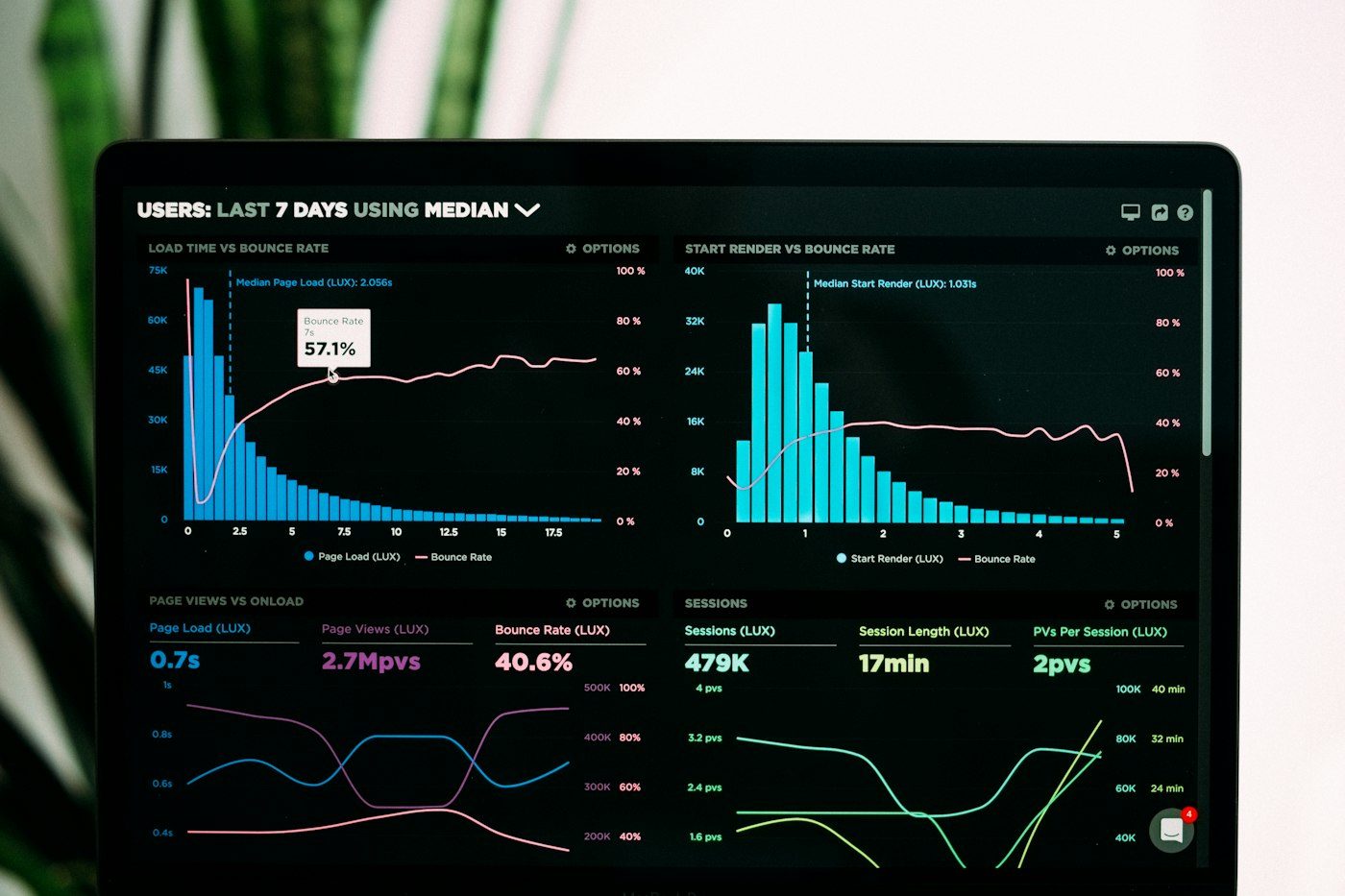
    Laptop with charts representing evaluation and monitoring

    Sample

    Evaluation report

    Known failure cases, intervention rate and go / no-go notes for Prove.

    • Least-privilege access
    • Tool authorization
    • Prompt-injection resistance
    • Tool-result validation
    • Secret management
    • Human approval
    • Idempotent operations
    • Execution budgets
    • Audit logging
    • Incident recovery
    • Model and tool versioning

    How we engage

    Assess, Prove, Deploy, then Operate

    Scope boundaries for evaluation. Final terms follow qualification. Third-party software and model usage costs are separate.

    Assess

    Agent feasibility review

    Qualify the problem

    • Business objective and impact
    • Systems and authorization
    • Agent vs rules recommendation

    Limited review for suitable enquiries. Not unpaid consulting.

    Request an Agent Feasibility Review

    Prove

    Proof of value

    Quoted after qualification

    • One objective, one agent
    • One or two agreed tools
    • Approvals, logs, evaluation

    Fixed-scope demonstration of value before wider rollout.

    Discuss a proof of value

    Deploy

    Production implementation

    Scoped after Prove

    • Auth, integration, reliability
    • Monitoring and documentation
    • Operational handover

    Multi-agent programmes are scoped separately.

    Discuss deployment

    Operate

    Ongoing care

    Separate agreement

    • Monitoring and incident path
    • Evaluation refresh
    • Bounded enhancements

    No unlimited support. No unrestricted autonomy on this page.

    Discuss care

    When you should not build an AI agent

    If the task is predictable and rules or APIs are enough, prefer deterministic automation or a simpler integration. See Workflow automation, AI workflow automation and System and API integration.

    Agent and MCP FAQ

    Straight answers on MCP, permissions, mistakes, ownership and costs. The contract still sets the exact terms.

    What is MCP?

    Model Context Protocol is an open way for AI applications to connect to external tools and data sources through a shared interface pattern.

    Do we need MCP to build an AI agent?

    No. Agents can use APIs, databases or other connectors. MCP helps when you want a consistent, controlled tool interface.

    Can agents access our existing ERP?

    Usually when approved APIs, connectors or MCP servers are available. Compatibility and least privilege are confirmed in Assess.

    What controls prevent unauthorized actions?

    Allow-listed tools, policy checks, human approval for high-risk steps, execution budgets and audit logs. MCP does not replace your authorization model.

    What happens when an agent makes a mistake?

    We design retain, alert, retry and escalate paths. Consequential writes should not look successful when they did not happen.

    Can we start with one process?

    Yes. Prove is built for one business objective and one agent before wider rollout.

    How are AI usage costs controlled?

    Budgets, tool-call limits and evaluation in Prove. Third-party model and software costs remain separate and are confirmed during scoping.

    Who owns the implementation?

    Ownership, licensing and support terms are defined in the contract for the engagement.

    What ongoing support is available?

    Operate covers monitoring, incident path, evaluation refresh and bounded enhancements under a separate agreement. No unlimited support claim on this page.

    Qualified enquiry

    Find out where an AI agent could improve your operations

    Tell us about a task that requires employees to work across multiple applications. We will review whether a controlled agent, conventional automation or an integration is the most appropriate approach. Your submission creates a New lead, not an automatic Qualified opportunity.

    1. We acknowledge and triage the brief.
    2. If it fits, we outline Assess next steps or ask one clarifying question.
    3. If Prove fits, we quote fixed scope after qualification.